GoGlow
NGMOB PTE LTDPhotography
4.648.00 Reviews
- Version
- 3.1.1
- Installs
- 50.00K
- Age Rating
- Everyone
Screenshots
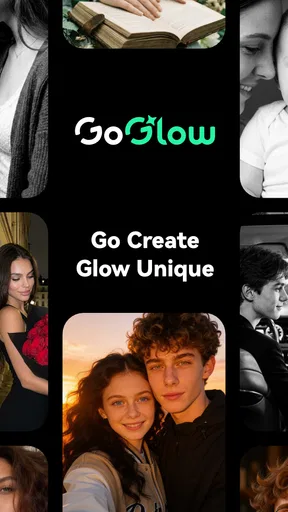
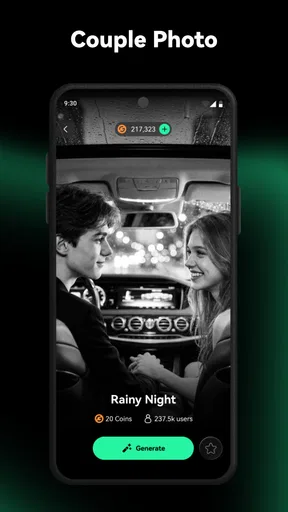
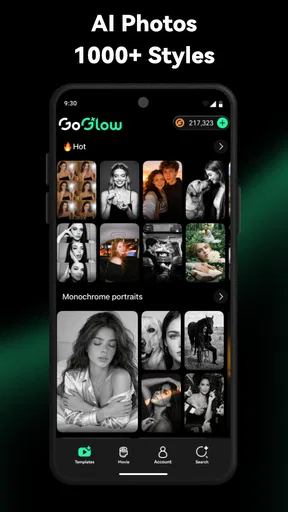
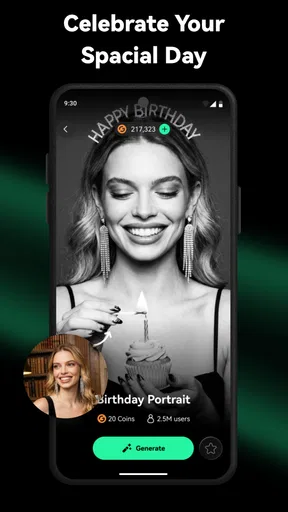
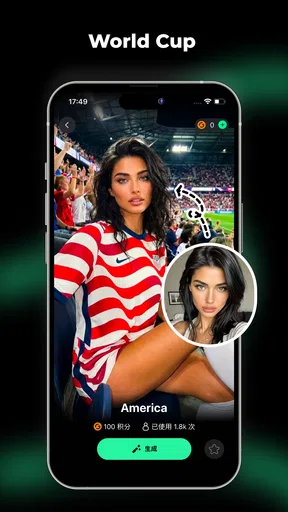
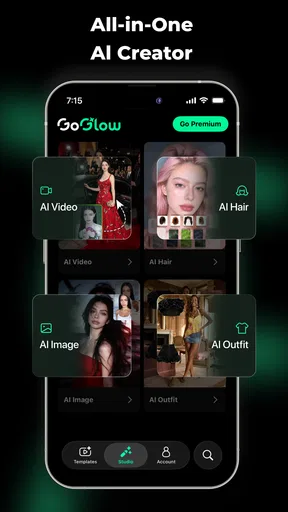
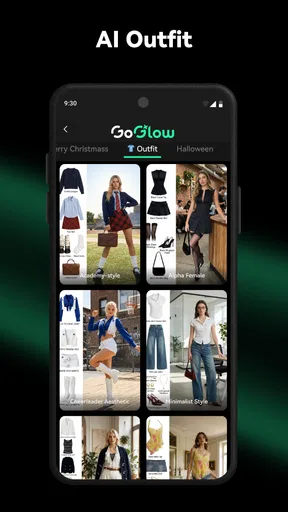
Our Review of GoGlow
 Analysis by Appyee
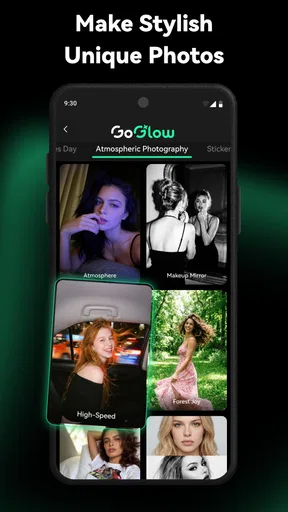
I approached GoGlow as a photography app for people who want to create images and videos without starting from a blank canvas. Its focus is AI-assisted generation, so the appeal is less about adjusting shutter speed or manually retouching every detail and more about turning an idea into visual material quickly. After spending time with it, I see a tool that can be useful for social posts, concept work, personal projects, and playful experiments, while still requiring patience when the result needs to be precise.
The app is free to install, with optional purchases ranging from $2.99 to $99.99 per item. It is published by NGMOB PTE LTD and is listed for Everyone, which makes its general audience broad. The current version is 3.1.1, and it runs on Android 7.0 or later. Its presence is still relatively modest at over 50 thousand installs, but the average score of 4.6 from around 450 ratings suggests that many early users find the basic idea worthwhile.
How GoGlow feels to use when clarity matters
When I’m using GoGlow, I find it helps to separate a promising image from one that is ready to share. In this section, I’ll look at how a little planning and a careful review can make the creative process feel more dependable, especially when details matter. That leads naturally to the practical question of where the app fits in an everyday visual workflow.
A simple starting point for visual creation
The strongest part of the experience is the low barrier between an idea and a first result. Instead of needing to understand layers, masks, color curves, or complicated editing panels, I can begin with a plain-language description of what I want. That makes the app approachable for someone who enjoys photography but does not want to learn a full desktop editor.
That simplicity also changes how I think about the app. I would not treat it as a replacement for a camera, a professional retouching suite, or a complete video editor. I see it more as a creative starting point: a way to explore a mood, build a visual draft, or produce something attractive when I have limited time. The distinction is important because generated content often needs selection and refinement rather than being perfect on the first attempt.
For a new user, the most useful habit is to begin with a focused request rather than a long paragraph containing several unrelated ideas. I get more predictable results when I describe the subject, setting, mood, lighting, and intended style in that order. If I want a portrait, for example, I would define the person and environment first, then add the visual treatment. This workflow is more manageable than repeatedly changing everything at once.
Readability, navigation, and the learning curve
GoGlow’s concept is easy to understand, but AI creation tools can still feel uncertain because the interface may be simple while the results are not. The important question is not only whether I can find the creation controls, but whether I understand what will happen after I tap them. A clear preview, an obvious way to revise an idea, and a visible distinction between free use and paid options make a major difference to confidence.
I recommend taking a few minutes to explore the screen before attempting an important project. Look for where prompts are entered, where generated work is reviewed, and how the app presents saving or exporting. This small orientation step prevents a common frustration: creating something interesting and then not knowing which action preserves it or starts another generation.
The app is best suited to people comfortable with short written instructions. You do not need specialist photography vocabulary, but being able to describe visual details helps. “A quiet street at dusk with warm window light” gives the system a clearer direction than “make it beautiful.” If typing is tiring or difficult, preparing reusable prompt templates outside the app can reduce the amount of repeated input.
Readability is also affected by the amount of visual information on screen. Photography apps often rely on previews and icons, and that can be attractive while making controls less explicit. I prefer to pause on unfamiliar buttons rather than guessing, especially before starting a generation that may consume a limited allowance or lead toward an in-app purchase. The free entry point is welcoming, but the boundary between casual use and paid use deserves attention.
Useful workflows beyond casual experimentation
One practical workflow is to use GoGlow for mood boards before taking real photographs. If I am planning a café portrait session, I can generate several possible atmospheres first: soft morning light, a darker cinematic interior, or a colorful evening scene. These images are not a substitute for the actual location, but they help me decide on clothing, framing, and color direction before I spend time shooting.
A second workflow is to create variations around one central idea instead of chasing unrelated prompts. I might keep the subject and composition stable while changing the season, palette, or lighting. Comparing those variations teaches me which words influence the result and gives me a more coherent set of images for a project. This is more productive than treating every generation as a completely separate experiment.
For video-oriented work, I would use the app for short visual concepts, transitions in mood, or social content that does not need the control of a traditional timeline editor. The attraction is speed, but the trade-off is control. If a project depends on exact timing, synchronized audio, precise cuts, or repeatable movement, a dedicated video editor remains the better choice.
Motor and sensory considerations in everyday use
AI generation can reduce some physical demands associated with photography. I do not need to hold a camera steady, adjust a lens, or perform dozens of tiny retouching gestures to produce an initial image. For someone with limited hand precision, fatigue, or difficulty using detailed editing controls, text-led creation may feel less demanding than a conventional image editor.
That benefit depends on the interaction method. Writing prompts still requires keyboard input, and repeated revisions can become tiring. A user who finds typing difficult may prefer drafting a short library of prompts and modifying only one phrase at a time. Voice input from the device may also help with drafting, although the quality of that experience depends on the operating system and keyboard rather than on GoGlow itself.
The visual nature of generated images creates a different consideration for people with sensory sensitivities. Bright, high-contrast, or rapidly changing content can be uncomfortable, particularly when browsing many results in succession. I would use the app in shorter sessions, lower the device brightness when appropriate, and avoid treating endless generation as the default workflow. The app can support visual creativity, but it does not remove the need to manage screen exposure.
For users with low vision, the practical experience will depend heavily on the device’s text scaling, magnification, contrast, and screen-reader behavior. I would not assume that every icon or generated preview communicates its purpose clearly without testing those settings personally. A good approach is to create a small test project first and check whether the important controls can be located and activated comfortably before committing to a longer session.
People who are sensitive to visual ambiguity should also remember that AI-generated content may contain odd details. Faces, hands, lettering, object proportions, and fine textures can look convincing at first glance but fail under closer inspection. This is not merely a quality issue; it can create sensory or cognitive friction when the image changes unexpectedly between attempts. Reviewing results slowly is better than accepting the first attractive preview.
Situational access: when the app is especially useful
GoGlow makes the most sense when I need a visual result but do not have the equipment, location, time, or energy for a conventional shoot. Imagine preparing a community event post during a busy lunch break. I can describe the atmosphere I want, explore a few directions, and use the strongest concept as a starting point for the announcement. That is much faster than arranging a photo session, although I would still check that the final image communicates the event honestly.
It can also help when weather or location access changes a plan. A photographer who cannot reach a planned setting may use generated images to test alternate visual directions. A small business owner can explore packaging colors or seasonal campaign ideas before asking a designer to produce final assets. A student can turn a written concept into a visual reference for a presentation without needing advanced design software.
The app is less suitable when authenticity is central. If I am documenting a real person, product, place, or event, generated imagery can mislead viewers unless it is clearly presented as illustrative. For journalism, evidence, official records, and sensitive personal situations, I would choose a real camera or a conventional editor. GoGlow is strongest when imagination is the goal, not when factual representation must be preserved.
It may also be a good option for people who feel blocked by a blank page. Starting with a rough generated image can give a writer, designer, or filmmaker something concrete to react to. Sometimes I learn what I actually want only after seeing an imperfect version of it. In that role, the app is not replacing creative judgment; it is helping me make decisions earlier.
How it compares with familiar photography alternatives
Compared with a standard camera app, GoGlow offers invention rather than direct capture. A camera records light from a real scene, while an AI generator builds a visual interpretation from instructions. Choose the camera when timing, authenticity, and real-world detail matter. Choose GoGlow when the scene exists mainly in your imagination or would be expensive and difficult to photograph.
Compared with a traditional photo editor, the app moves the work toward description instead of manual correction. Editors are better when I already have a photograph and need accurate cropping, healing, exposure adjustment, or color matching. GoGlow is more convenient when I need a new concept from scratch. The two approaches can complement each other: generate a direction first, then refine a selected result elsewhere if the project requires exact finishing.
Compared with a dedicated design platform, GoGlow appears more focused on rapid visual generation than on building a complete branded layout. If I need reusable templates, carefully aligned text, consistent logos, or detailed collaboration, I would choose a design tool designed around those tasks. If I need a quick visual idea without assembling every element manually, this app has the more direct appeal.
Video users should make the same distinction. An AI generator can help with visual inspiration and certain kinds of content creation, but it is not automatically a substitute for a timeline-based editor. Exact duration, sound mixing, captions, transitions, and frame-by-frame decisions require a different kind of control. GoGlow is a useful first step for some projects, not a universal replacement for every photography and video application.
Remaining barriers and points to consider
The biggest limitation is the gap between a simple request and a dependable result. A prompt can be clear to me but interpreted differently by the system. I may need several attempts before the composition, mood, and details line up. That makes the app enjoyable for exploration but less comfortable when I have a deadline or a very specific visual brief.
There is also a cost-management issue. The app is free to begin, but optional purchases can range from $2.99 to $99.99 per item. I would check the purchase screen carefully and decide in advance how much experimentation is reasonable. This matters particularly for younger users or anyone sharing a device. The Everyone age rating describes the broad content audience, but it does not remove the need for adults to supervise spending.
Another barrier is the difference between accessibility in principle and accessibility in practice. Text-based creation may be easier than precision editing for some people, yet it can still involve small controls, visual previews, repeated typing, and uncertain outcomes. Users with different abilities should test the complete path from opening the app to creating, reviewing, and saving an image. The most comfortable experience may vary considerably by device, input method, and personal settings.
Privacy and ownership questions are also worth considering before using personal material. I would avoid uploading sensitive faces, confidential documents, private locations, or anything I would not want processed by a creative service unless I had independently reviewed the relevant terms and felt comfortable. This is sensible with any AI image or video tool, and it is especially important when the output is connected to real people.
Finally, generated content needs human review. I would inspect hands, faces, signs, small text, repeated patterns, and objects that carry practical meaning. If an image is going to represent a real business, person, or public event, I would check it for misleading details and label it as illustrative where appropriate. The faster the app makes creation, the easier it is to skip this step, and that is precisely why the step matters.
Who should try it, and who should skip it
I would recommend GoGlow to curious beginners, social creators, students, hobby photographers, and anyone who wants to turn a written idea into a visual experiment. It is particularly appealing if conventional editing feels intimidating or if you need several creative directions before choosing one. The free starting point makes it reasonable to explore without immediately committing to a professional subscription.
I would be more cautious about recommending it to professional users who need repeatable brand consistency, exact product accuracy, or dependable delivery under a tight deadline. Those users may still find it valuable for brainstorming, but they should expect to verify and refine the output with other tools. I would also suggest skipping it if the main goal is simply to edit photos already stored on the phone; a conventional editor will usually provide more direct control for that job.
People who dislike trial and error may find the generation process frustrating. The app rewards curiosity and iteration, while a manual editor rewards deliberate adjustment. Neither approach is universally better. The right choice depends on whether I want to discover an image through variations or control every visible decision myself.
An inclusive verdict for creative experimentation
GoGlow succeeds when I treat it as an accessible doorway into AI-assisted visual creation rather than as a complete replacement for photography, design, or video editing. Its plain-language approach can remove intimidating technical steps, and that may open creative work to people who find conventional tools physically or mentally demanding. It is also useful in situations where a real shoot is impractical, from early mood-board planning to quick social concepts.
At the same time, inclusive access requires realistic expectations. Typing, small interface controls, bright previews, repeated attempts, uncertain results, and optional spending can all affect whether the app feels comfortable. I would start with a short project, adjust device accessibility settings, review the purchase boundaries, and inspect every result before sharing it.
My overall view is positive but measured. The app is free, easy to approach, and capable of making visual experimentation feel less specialized. Its best audience is someone who values speed and imagination over exact control. If that describes you, GoGlow is worth trying on a compatible Android device. If you need documentary accuracy, detailed retouching, or a professional editing workflow, I would use it only as an idea generator and keep a more traditional tool for the final work.
Verdict
Strengths of GoGlow
- Simple interface makes daily use quick and easy.
- Personalized content helps tailor the experience to individual needs.
- Smooth performance on most modern Android and iOS devices.
- Useful reminders encourage users to stay consistent.
- Regular updates can improve features and overall reliability.
Limitations of GoGlow
- Some features may require a paid subscription.
- Initial setup can take time if many preferences are available.
- Personalization may feel limited without enough usage history.
- Notifications could become distracting if not adjusted.
- Performance may vary on older phones or slower connections.
Similar Picks in This Category
View All
Google Photos
Google LLC4.4

Gallery
Google LLC4.2

Picsart AI Photo Editor, Video
PicsArt, Inc.3.9

B612 AI Photo&Video Editor
SNOW Corporation4.1

BeautyPlus-Selfie Photo Editor
PIXOCIAL TECHNOLOGY (SINGAPORE) PTE. LTD.4.5

Remini - AI Photo Enhancer
Bending Spoons4.1
Frequently Asked Questions
What is GoGlow and what can I use it for?
GoGlow is a lifestyle and wellness-focused mobile application designed to help users organize activities, discover relevant content, and maintain healthier daily habits. Depending on the version available in your region, its tools may include personalized recommendations, progress tracking, reminders, challenges, or community features. Before downloading, check the official store description because available functions can differ between Android and iOS releases.
Is GoGlow free to download and use?
GoGlow may be available as a free download, but some features can require in-app purchases, a subscription, or an upgraded account. Review the pricing section in Google Play or the App Store before starting any trial, especially if the app requests payment details. Also check renewal terms, since subscriptions commonly renew automatically unless canceled through your device’s store settings.
Does GoGlow require an account or personal information?
Some GoGlow features may work without registration, while personalized tools, saved progress, synchronization, or community functions may require an account. During setup, the app could request information such as an email address, profile details, preferences, or activity data. Read its privacy policy before agreeing, and only provide information you are comfortable sharing with the developer and its service providers.
Is GoGlow suitable for everyone, and can it replace professional advice?
GoGlow can be useful for general wellness, motivation, organization, or lifestyle support, but it should not automatically be treated as a medical or professional service. If the app includes health, fitness, nutrition, or appearance-related guidance, recommendations may not suit every user. People with medical conditions, injuries, allergies, or specific dietary needs should consult a qualified professional before following advice from the app.
Does GoGlow work offline, and what devices support it?
GoGlow’s basic functions may be accessible without a constant internet connection, but features such as account synchronization, online content, recommendations, advertisements, purchases, or community interaction usually require connectivity. Compatibility depends on the operating system version, device model, and regional availability. Check the current Google Play or App Store listing for supported requirements and install the latest update for the best performance.
